Field operations
Field Tools
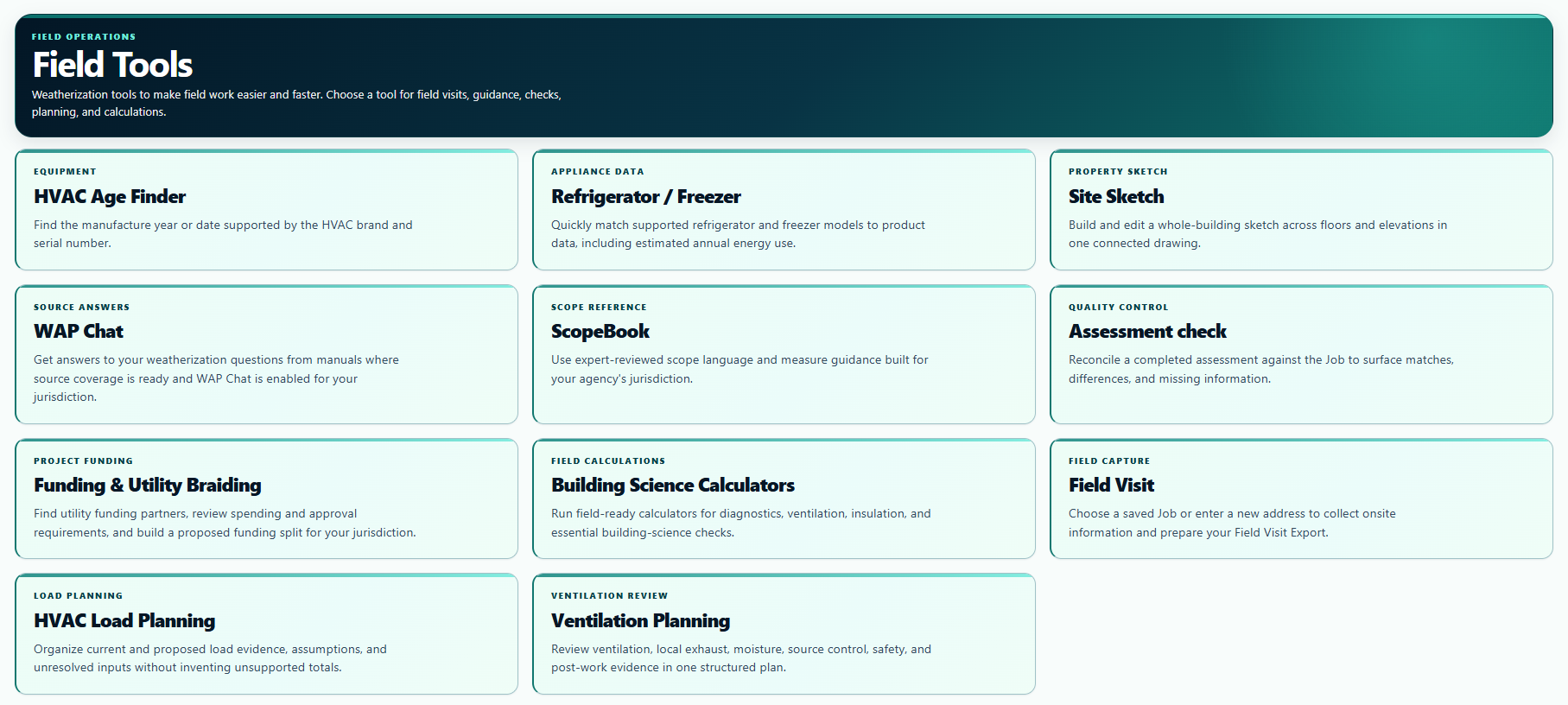
Choose the tool you need for references, equipment lookups, sketches, calculations, planning, or field collection.
View full-size screenshotFieldScout
The information you need, when you need it—at your fingertips. Bring references, equipment lookups, sketches, calculations, and field documentation together. Use one tool or use them all. Start with a quick equipment check or a full field visit. We build Weatherization software for independent professionals and agency teams.
Built from Andrew’s Weatherization field experience and continually improved by Sierra and Andrew. We keep the complete product affordable so independent professionals and agency teams can put it to work. We’re growing across the United States and Canada to help more people bring Weatherization to the households that need it.
All 50 states, D.C., and five U.S. territories. Now all 13 Canadian provinces and territories, too. Explore FieldScout for Canada →
Look through the product screens below to see what each tool does. Choose a tool by name, or use Previous and Next to browse the full lineup.
Field Tools
U.S. product preview. ScopeBook and WAP Chat depend on jurisdictional availability. Screenshots use demonstration data.
Want to see how it works? Explore the FieldScout User Guide →
U.S. tools, in one place
Canadian accounts include HVAC Age Finder, Refrigerator / Freezer, Site Sketch, Building Science Calculators, and Jobs. See the Canadian tools and signup options.
Start with any tool. You choose which ones fit your work; Field Visit is one option in the lineup.
A Job holds the saved information and tool results for one address. Each Job has one Field Visit that you return to as the work continues, alongside calculations, equipment lookups, sketches, and assessment reports.
Furnaces, direct-vent furnaces, unit heaters, boilers, combi-boilers, central and room/window air conditioners, heat pumps, mini-splits, geothermal heat pumps, air handlers, packaged HVAC units, rooftop units, wall-mount HVAC units, and tank, tankless, and heat-pump water heaters.
If ScopeBook or WAP Chat isn't available for your jurisdiction yet, we'll begin work on that coverage immediately after your purchase. Coverage becomes available after review and activation; a launch date is not guaranteed.
Ready for all 56 U.S. jurisdictions. Jobs, housing-specific field workflows, Field Visit Readiness, Field Visit Exports, and national Assessment Check support the 50 states, the District of Columbia, Puerto Rico, the U.S. Virgin Islands, Guam, American Samoa, and the Commonwealth of the Northern Mariana Islands.
U.S. Field Visit. Three housing types.
Housing-specific Field Visit workflows build on DOE/NREL Standard Work Specifications and real Weatherization field experience. Choose the home type when you create a Job, and the collection workflow reflects the building you are documenting.
Work your way
You decide where to start. Open a tool for the task in front of you, or use a Job to organize work for a property. A Field Visit is not required to use the other tools. The Field Visit and Assessment Check steps below are part of the U.S. product; Canadian users can save equipment lookups, sketches, and calculations to Jobs.
Find a scope reference, ask a question, check equipment, or draw a sketch. Use one tool or use them all.
A Job keeps saved work together for one street address and city. New Jobs start with a street address, city, ZIP code, and home type in the U.S.; Canadian Jobs use a postal code. Use a tool’s Job save action to keep supported work there, or use the tools without saving. All authorized agency members can see their agency’s Jobs.
Collect field observations and use Field Visit Readiness to find missing information and follow-up while you are still at the property.
Use a Field Visit Export as PDF, text, or HPXML 5.0 for compatible software. Weatherization JSON adds supported audit field names. Run Assessment Check before submission to catch omissions, different values, and transcription errors.
One complete product for every field team
Use the full product for your country as an individual professional or bring the same capability to an agency team.
We can tailor the Field Tools layout to your state, province, territory, or jurisdiction’s weatherization workflow, so the tools you need are easier to reach. Tell us how your jurisdiction works and what would help your field day.
Built to advance Weatherization
Our mission is to advance Weatherization by making practical tools available to the people doing the work. We want an independent professional to have the same capability as an agency team, and we want agencies to keep more of their resources focused on serving households. Across the United States and Canada, we’re working toward the same goal: helping Weatherization reach more homes and supporting the people improving their comfort, health, and energy use.
We’re Andrew and Sierra Weuve. We build, support, and continually improve FieldScout ourselves. Every paid user receives the full product for their country and jurisdiction; team size changes the price, not the capability.
Read our story · U.S. Individual: US$50/month. Canadian Individual: C$75/month. Agency pricing includes the first paid user in either country.


